
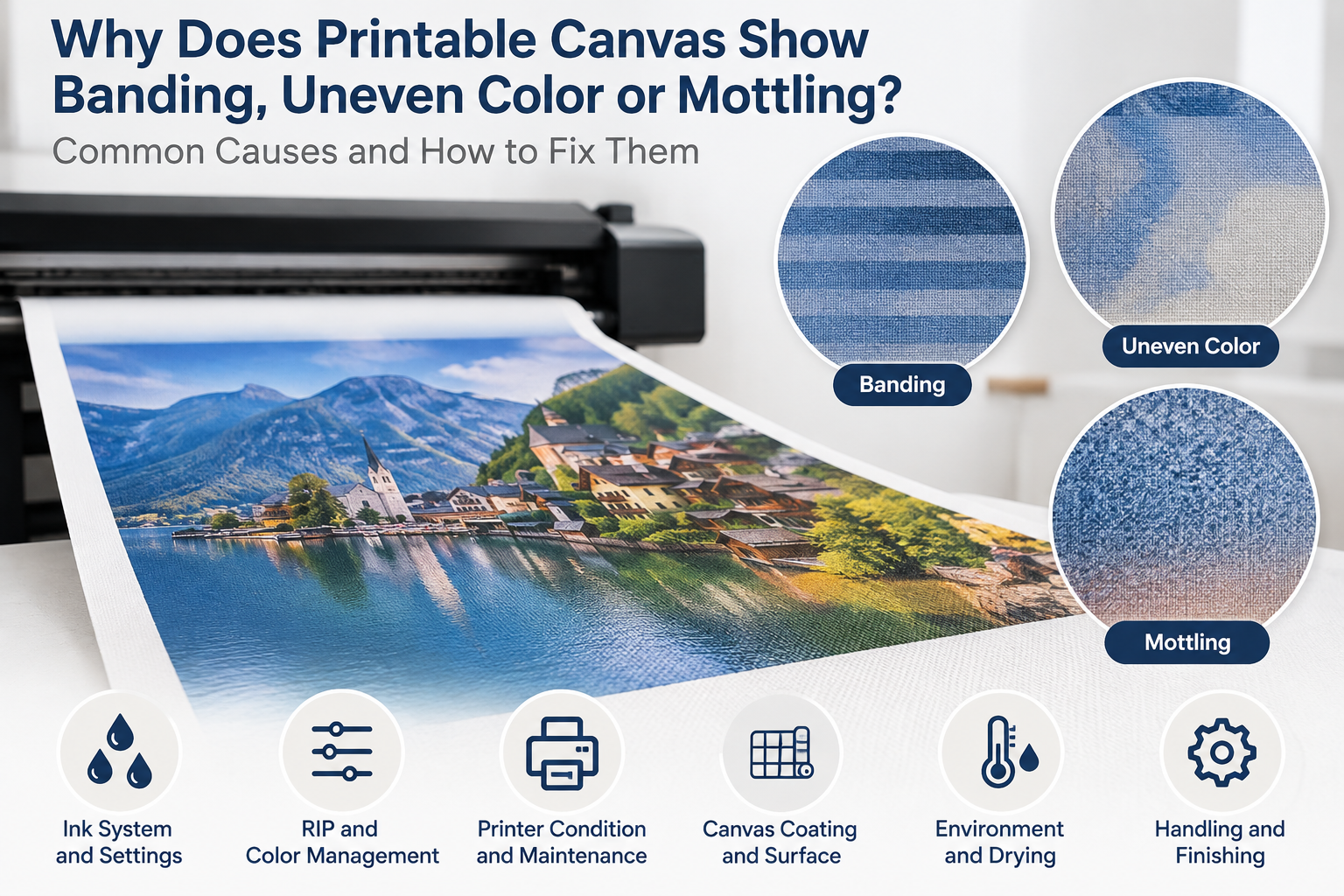
Banding, uneven color and mottling can look similar at first, but they are not necessarily the same print defect. Banding usually appears as directional or repeating lines, uneven color appears as broader changes in density or tone, and mottling appears as irregular patches or cloudiness. Before blaming the printable canvas coating, check whether the defect follows the print or feed direction, repeats at regular intervals, appears mainly in solid areas, changes with printer settings, or remains in the same physical area of the canvas.
A useful starting principle is:
Print result = printer + printhead condition + ink + RIP/profile/settings + ink load + printable canvas/coating + environment + drying or curing + interaction between these variables.
The visible pattern does not prove the cause by itself. A controlled comparison is needed before deciding whether the problem comes mainly from the printer, the production setup or the printable canvas.
Banding vs Uneven Color vs Mottling: What Is the Difference?
| Defect | Typical Appearance | First Variables to Check | When Media or Coating Becomes More Suspect |
|---|---|---|---|
| Banding | Visible lines or stripes, often directional or repeated at regular intervals | Nozzle condition, head alignment, media feed, pass count, bidirectional mode, print mode and ink delivery | The pattern stays with a particular physical area of the canvas or appears only on one media under controlled comparison |
| Uneven color | Broader differences in density, tone or color consistency across an area | Nozzles, ink laydown, profile and settings, ink limit, drying or curing, and production environment | Controlled prints show repeatable density differences linked to areas, rolls or batches of the canvas |
| Mottling | Irregular grainy, spotty, patchy or cloudy areas, often clearer in high-density colors | Ink load, print mode, drying behavior, environmental conditions and ink-media interaction | Other media prints normally and the irregularity remains repeatable on the same canvas under matched conditions |
These definitions help classify the symptom, but they do not identify the cause without further testing.
What Causes Banding on Printable Canvas?
Banding is commonly associated with the way ink is fired, positioned and advanced across the media. Clogged or partially firing nozzles can leave light lines because part of the intended image is missing. Printhead alignment errors may create light or dark stripes where passes do not meet correctly. Incorrect media-feed calibration can produce gaps or overlaps that repeat as the canvas advances.
Pass count and print mode also matter. A low-pass or high-speed mode can make small nozzle or alignment differences more visible. Where bidirectional printing is used, incorrect bidirectional alignment can create a directional pattern. Ink-delivery variation, unsuitable RIP settings, carriage-related issues and unstable feeding can produce similar symptoms.
A repetitive line that follows the carriage or feed direction should therefore lead first to nozzle, alignment, calibration and print-mode checks. Media consistency enters the investigation when the defect follows a physical area of the canvas, when feeding or flatness differs on that media, or when the same controlled setup prints normally on a comparison media but repeatedly bands on the canvas under review.
What Causes Uneven Color on Printable Canvas?
Uneven color is broader than a line defect. One area may look darker, lighter, warmer, cooler or less saturated than another. Possible causes include inconsistent nozzle output, variation in ink laydown, unsuitable media settings, an incorrect or poorly matched profile, excessive or insufficient ink limits, uneven drying or curing, and changes in temperature or humidity during production.
It is important to separate a color-management problem from a physical print-media problem. A color-management issue may shift overall color, neutral balance or tonal reproduction while the printed surface remains physically uniform. A physical issue may show local density variation, pooling, patchiness, poor edge control or different ink reception across the canvas.
Printable canvas coating can influence how ink is received and controlled, but coating should be investigated through repeatable evidence. A single uneven print does not establish that the coating is inconsistent.
What Causes Mottling on Printable Canvas?
Mottling is an irregular, patchy or cloudy appearance rather than a regular stripe. It is often easier to see in solid colors, dark neutrals, heavy black areas and smooth gradients because these areas give the eye fewer image details to hide density variation.
Possible causes include an ink load that exceeds what the media and drying conditions can handle, uneven droplet coalescence, insufficient drying or curing, unsuitable print settings, environmental variation, or inconsistent ink reception across the printable surface. More than one factor may be involved. For example, a coating may perform normally at one ink load but show patchiness when the printer deposits substantially more ink under a different preset.
Mottling is therefore not automatic proof of uneven coating. The result must be compared under controlled conditions, including matched files, settings, ink and production environment.
How Can You Tell Whether the Problem Comes From the Printer or the Canvas?
Controlled A/B testing is more useful than changing several settings at once. Where practical, change one meaningful variable at a time and record the result.
| Controlled Test | What It Can Show | What It Cannot Prove Alone |
|---|---|---|
| Test A: Same canvas and file, with one printer variable changed | Whether nozzle maintenance, alignment, feed, pass count, print mode or ink load materially changes the defect | That the canvas has no influence, because the new setting may simply interact differently with the media |
| Test B: Different canvas, same printer, file and controlled settings | Whether the symptom is specific to one media under the tested setup | The exact root cause or whether both media are equally suitable for those settings |
| Test C: Same canvas and conditions, using another area, roll or batch | Whether the defect is localized or repeatable within the material being assessed | Supplier fault without confirming that the printer and test conditions remained controlled |
Observe whether the defect moves when the canvas is repositioned, remains at the same printer position, repeats at a regular interval, appears on another media, or is concentrated in one physical area of the canvas. Also note whether a controlled ink-load or print-mode change materially alters it. These observations help narrow the investigation without treating one test as final proof.
When Should You Investigate the Printable Canvas Coating?
Printable canvas coating should be investigated when evidence points to repeatable differences in ink reception or surface behavior. Relevant signals can include visible surface inconsistency before printing, localized density differences that remain linked to the same area of the canvas, or variation between areas, rolls or batches under otherwise controlled conditions.
A comparison becomes more meaningful when another media prints normally after printer maintenance and calibration, while the canvas under review repeatedly shows the same defect. Even then, the result is an investigation signal rather than automatic proof. Printable canvas coating is designed for digital ink reception and must be assessed together with the intended printer, ink, media preset and production conditions.
When selecting media for a printing system, Gowin’s printable canvas guide for different printer and ink systems provides a useful starting point. The complete printable canvas roll range can then be compared by material, weight, finish and printing technology.
Can Too Much Ink Cause Uneven Printing or Mottling?
Yes. Excessive ink deposition can contribute to slow drying, pooling, poor edge control, mottling, density irregularity and, in some constructions, greater penetration toward the back of the media. The effect depends on the ink, coating, print mode, number of passes, drying or curing conditions and environmental conditions.
Reducing or optimizing ink load can be a normal and technically valid part of media setup and profiling. However, it is not a satisfactory solution if the reduction required to hide a defect causes a commercially unacceptable loss of color density, black performance, saturation or overall print quality. The objective is a workable combination of media, coating, ink, printer and settings.
If the main symptom is fuzzy edges, spreading or loss of fine detail rather than patchy density, see why ink bleeds or spreads on printable canvas.
Does an ICC Profile Fix Banding or Mottling?
An ICC profile supports color management within a technically workable print system. It can help map color, improve neutral balance and control color reproduction for a defined printer, ink, media and print-mode combination. It should not be treated as a universal repair tool.
An ICC profile cannot clean clogged nozzles, correct a mechanical feed problem, align a printhead, repair a physical coating defect, eliminate severe spreading, or make an unsuitable ink-media combination physically acceptable. It also does not justify reducing ink until the defect disappears if the resulting color strength or black density no longer meets the finished-product requirement.
Why Are Large Solid Areas Useful for Diagnosing Printable Canvas?
Photographs contain detail, texture and changing color that can hide subtle banding, density variation and mottling. A diagnostic file should therefore include solid black, dark neutral areas, gray patches, saturated colors, smooth gradients and fine lines. Solid areas reveal whether ink laydown is uniform, gradients show tonal continuity, and fine lines help expose spreading or directional alignment problems.
Use the same test file when comparing media or production settings. Gowin’s printable canvas sample-testing checklist explains how to evaluate specification, print appearance and finished-product performance before a bulk order.
A Practical Troubleshooting Sequence
- Run the printer’s nozzle or printhead checks and perform maintenance where needed.
- Confirm printhead alignment, media-feed calibration and other relevant mechanical settings.
- Verify the ink, media preset, RIP settings, print mode, pass count and drying or curing setup.
- Print a controlled test file containing solids, gradients and fine detail.
- Classify the defect as directional, repetitive, broad or irregular.
- Test another area of the same canvas under unchanged conditions.
- Compare another suitable media using the same controlled file and setup.
- Change one meaningful variable at a time and avoid combining several adjustments in one test.
- Record settings, observations and photographs for each result.
- If the canvas remains suspect, send the evidence to the supplier for investigation.
What Evidence Should You Send Your Canvas Supplier?
A useful investigation needs more than a statement that the print looks bad. Provide enough information to show the symptom and the conditions under which it occurred:
- Canvas model and roll or batch information, where available
- Printer model and ink system
- RIP, ICC profile or media preset used
- Print mode, pass count and relevant ink settings
- Photographs of the complete print and close-ups of the defect
- Print and feed direction marked on the sample or photograph
- Whether the defect repeats and at what interval
- Results from another area, roll or comparison media
- Drying or curing conditions and production environment where relevant
Controlled evidence does not automatically prove supplier fault, but it gives the supplier a practical basis for checking surface consistency, coating behavior and production records.
Frequently Asked Questions
Does banding mean the printable canvas is defective?
No. Banding commonly requires checks of nozzles, printhead alignment, media feed, pass count, bidirectional settings and print mode. Canvas or coating should be investigated when controlled testing shows a repeatable media-related pattern.
Can uneven printable canvas coating cause uneven color?
It can contribute if areas of the printable surface receive or control ink differently. However, uneven color can also come from printhead condition, ink laydown, profiles, ink limits, drying or environmental changes. Compare the media under controlled conditions before drawing a conclusion.
Why does mottling appear mostly in dark solid areas?
Dark solid areas often use more ink and contain little image detail to hide local density variation. This makes ink-load, drying and ink-media interaction problems easier to see.
Can an ICC profile fix printable canvas banding?
An ICC profile can improve color management, but it cannot correct clogged nozzles, mechanical feed errors, printhead alignment problems or physical coating defects. Resolve physical printing problems before final profiling.
Discuss a Printable Canvas Print Problem with Gowin
If you are evaluating a printable canvas or investigating a repeatable print defect, send Gowin the printer model, ink system, canvas model or specification, print settings, photographs of the defect and intended application. We can review the media-related information and advise what sample comparison may be useful, although not every printer problem can be diagnosed remotely.